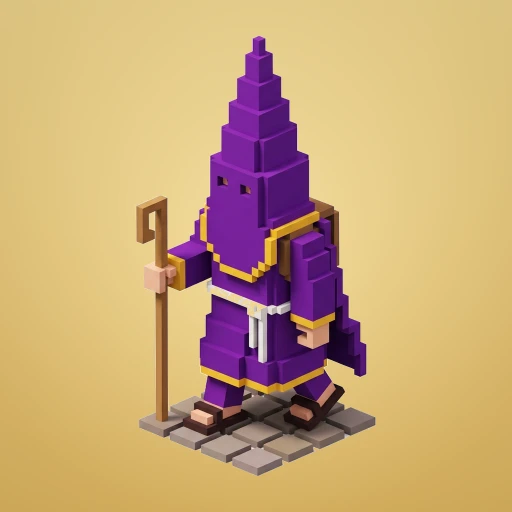
 Cofrade Road
¿Necesitas ayuda?Need a hand?
Escribe en español o en inglés. Suelo responder en 2–3 días laborables. Write in English or Spanish. I usually reply within 2–3 working days.
Cómo se juegaHow it plays
¿Cuáles son los controles?What are the controls?
Toca la pantalla para avanzar un paso. Desliza a izquierda, derecha o hacia atrás para moverte en esa dirección. Nada más: se juega en vertical y con una sola mano.
Tap the screen to hop one step forward. Swipe left, right or back to move that way. That's all there is: it plays in portrait, with one hand.
¿Qué son las estampitas?What are the estampitas?
Son la moneda del juego: las recoges por el camino y con ellas desbloqueas personajes. Se guardan de una partida a otra, así que ninguna se pierde al morir.
They are the game's currency — holy cards you collect along the way and spend on characters. They carry over between runs, so none are lost when you die.
¿Cómo funciona el reto diario?How does the daily challenge work?
El recorrido del reto diario se genera a partir de la fecha, así que todos los jugadores del mundo tienen exactamente el mismo mundo ese día, calle por calle. Cambia a medianoche, en la hora de tu dispositivo.
The daily challenge course is generated from the date, so every player in the world gets exactly the same world that day, street for street. It rolls over at midnight, in your device's own time.
¿Qué es el bonus por cruce al límite?What is the near-miss bonus?
Si pasas muy cerca de un peligro —un coche, un paso— sin que te alcance, ganas puntos extra. Arriesgar puntúa.
Pass close to a hazard — a car, a float — without getting hit and you score extra points. Risk pays.
Progreso y personajesProgress and characters
He cambiado de móvil. ¿Se pierde mi progreso?I changed phone. Do I lose my progress?
No, si has iniciado sesión en Game Center (iOS) o Google Play Juegos (Android): el progreso se guarda en la nube de tu cuenta y vuelve solo al instalar el juego e iniciar sesión con la misma cuenta en el nuevo dispositivo.
Sin iniciar sesión, la partida vive únicamente en el dispositivo y no viaja con él. Las compras sí se pueden restaurar siempre (abajo).
Not if you signed in to Game Center (iOS) or Google Play Games (Android): your progress is saved to your account's cloud and comes back on its own when you install the game and sign in with the same account on the new device.
Without signing in, your save lives only on that device and does not travel. Purchases can always be restored either way (below).
Mi progreso ha desaparecidoMy progress has disappeared
Comprueba primero que has iniciado sesión con la misma cuenta de Game Center o Google Play Juegos que usabas antes; es la causa más habitual. Si sigue sin aparecer, escríbeme contando qué dispositivo usas, si tenías sesión iniciada y aproximadamente cuál era tu récord, y lo miramos.
First check that you are signed in with the same Game Center or Google Play Games account you used before — that is by far the most common cause. If it still doesn't come back, email me with your device, whether you were signed in, and roughly what your best score was, and we'll look into it.
¿Hace falta pagar para conseguir los personajes?Do I have to pay to get the characters?
No. Los 23 personajes se pueden desbloquear jugando, gastando las estampitas que recoges. La compra directa es solo un atajo para quien quiera apoyar el juego, y ningún personaje da ventaja: todos corren igual.
No. All 23 characters can be unlocked by playing, spending the estampitas you collect. Buying one is only a shortcut for anyone who wants to support the game, and no character gives an advantage — they all run the same.
Compras y anunciosPurchases and ads
He reinstalado el juego y mis compras no estánI reinstalled and my purchases are gone
Abre la tienda dentro del juego y usa «Restaurar compras», con la misma cuenta de Apple o de Google con la que compraste. Las compras son permanentes y están ligadas a esa cuenta, no al dispositivo.
Open the in-game shop and use “Restore purchases”, signed in with the same Apple or Google account you bought with. Purchases are permanent and tied to that account, not to the device.
He pagado y no he recibido nadaI paid and got nothing
Prueba primero «Restaurar compras»: casi siempre se resuelve así, sobre todo si la conexión falló justo al terminar el pago. Si no, escríbeme adjuntando el recibo de la tienda (Apple o Google te lo envía por correo) y te lo resuelvo.
Try “Restore purchases” first: that fixes it almost every time, especially if the connection dropped right as the payment completed. If not, email me with your store receipt (Apple or Google emails you one) and I'll sort it out.
¿Cómo pido un reembolso?How do I get a refund?
Los reembolsos los gestionan las tiendas, no yo: en iOS, reportaproblem.apple.com; en Android, desde tu historial de pedidos de Google Play. Aun así, cuéntame qué ha pasado y veo si puedo ayudar.
Refunds are handled by the stores, not by me: on iOS, reportaproblem.apple.com; on Android, from your Google Play order history. Do tell me what happened anyway, in case I can help.
¿Qué incluye «Quitar anuncios»?What does “Remove ads” include?
Es una compra única que desactiva para siempre el anuncio a pantalla completa que aparece de vez en cuando al batir tu récord. Los vídeos con recompensa siguen disponibles, pero solo si tú eliges verlos: nunca aparecen solos.
It's a one-time purchase that permanently turns off the occasional full-screen ad shown after you beat your record. Rewarded videos stay available, but only if you choose to watch one — they never appear on their own.
Privacidad y permisosPrivacy and permissions
¿Puedo cambiar de idea sobre las analíticas o los anuncios personalizados?Can I change my mind about analytics or personalized ads?
Sí. En iOS, el seguimiento para anuncios se controla en Ajustes → Privacidad y seguridad → Seguimiento. En Android, tu identificador de publicidad está en Ajustes → Google → Anuncios. El consentimiento de analíticas y de anuncios personalizados del EEE/Reino Unido se puede volver a mostrar desinstalando y reinstalando el juego. Y si prefieres que borre los datos anónimos asociados a tu instalación, escríbeme: está explicado en la política de privacidad.
Yes. On iOS, ad tracking is controlled in Settings → Privacy & Security → Tracking. On Android, your advertising identifier lives in Settings → Google → Ads. The EEA/UK analytics and personalized-ads consent form can be shown again by uninstalling and reinstalling the game. And if you'd rather I deleted the anonymous data tied to your install, just write — it's explained in the privacy policy.
¿Se puede jugar sin conexión?Can I play offline?
Sí, el juego entero funciona sin internet y sin cuentas. Solo necesitan conexión la clasificación, los logros, el guardado en la nube, las compras y los anuncios.
Yes — the whole game works without internet and without accounts. Only the leaderboard, achievements, cloud save, purchases and ads need a connection.
Problemas técnicosTechnical problems
¿Qué dispositivos son compatibles?Which devices are supported?
iPhone y iPad con iOS 17 o posterior, y teléfonos y tablets con Android 7.0 o posterior. No hace falta un dispositivo potente: todo el arte es geometría voxel generada por el propio juego.
iPhone and iPad on iOS 17 or later, and phones and tablets on Android 7.0 or later. You don't need a powerful device: all the art is voxel geometry the game builds itself.
El juego se cierra, va lento o no suenaThe game crashes, runs slowly or has no sound
Prueba a cerrar el juego del todo y volver a abrirlo, y comprueba que tienes la última versión instalada. Si el sonido no se oye, mira que no esté silenciado dentro del juego (botón «Sonido» en la pantalla de inicio) ni en el interruptor lateral del dispositivo.
Si continúa, escríbeme con el modelo del dispositivo, la versión del sistema y qué estabas haciendo justo antes. Con eso puedo reproducirlo.
Try force-quitting the game and opening it again, and check you're on the latest version. If there's no sound, make sure it isn't muted inside the game (the “Sound” button on the home screen) or by your device's side switch.
If it carries on, email me with your device model, OS version and what you were doing just before it happened. That's usually enough for me to reproduce it.
¿En qué idiomas está?What languages is it in?
Español e inglés. El juego sigue el idioma de tu dispositivo: en español verás el texto original, y en cualquier otro idioma verás el inglés. Los términos cofrades (paso, madrugá, costalero, estampita) se dejan sin traducir a propósito.
English and Spanish. The game follows your device's language: Spanish devices get the original text, everyone else gets English. The Holy Week terms (paso, madrugá, costalero, estampita) are deliberately left untranslated.
Sugerencias y erratasSuggestions and mistakes
Cofrade Road está hecho con respeto por la Semana Santa, pero es el trabajo de una sola persona y puede contener errores de detalle. Si ves algo que no encaja —un color de hermandad, un nombre, una costumbre— cuéntamelo y lo corrijo en la siguiente versión. Las ideas de personajes también son bienvenidas.
Cofrade Road is made with respect for Seville's Holy Week, but it is one person's work and details can be wrong. If you spot something that doesn't fit — a brotherhood's colour, a name, a custom — tell me and I'll fix it in the next version. Character suggestions are welcome too.
Al escribir, ayuda mucho incluir: tu dispositivo y versión del sistema, si usas iOS o Android, y —si es sobre una compra— el recibo de la tienda. Nunca me envíes contraseñas ni datos de pago: no los necesito para nada.
When you write, it really helps to include: your device and OS version, whether you're on iOS or Android, and — if it's about a purchase — the store receipt. Never send me passwords or payment details: I have no use for them.